Log in to the Mind Stretcher app. If you don't already have access, please head to mindstretcher.com/app to download the app first.
Mind Stretcher · Research Preview
Redeeming access to the Mind Stretcher Research Preview
Mind Stretcher and Master Speaker P5 & P6 students have free access to Cher.ai under the Mind Stretcher Research Preview.

In partnership with
Mind Stretcher & Master Speakers
What this is
Free Cher.ai access for Mind Stretcher & Master Speaker students
- Mind Stretcher & Master Speaker students can access their personal access codes for Cher.ai's Research Preview in the Mind Stretcher app.
- The Research Preview gives Mind Stretcher and Master Speaker students unlimited use of Cher.ai's leading education tools, for the duration of the preview.
- We may start charging at some point to help to keep the product sustainable, especially as we use the most powerful AI models to ensure students get the best possible feedback, but we want students to be able to benefit from Cher.ai's tools for PSLE 2026.
How to redeem
Step-by-step guide to your exclusive access
Find your code in the Mind Stretcher app, create your Cher.ai parent account, set up your child's learner profile, then redeem the code.
-
-
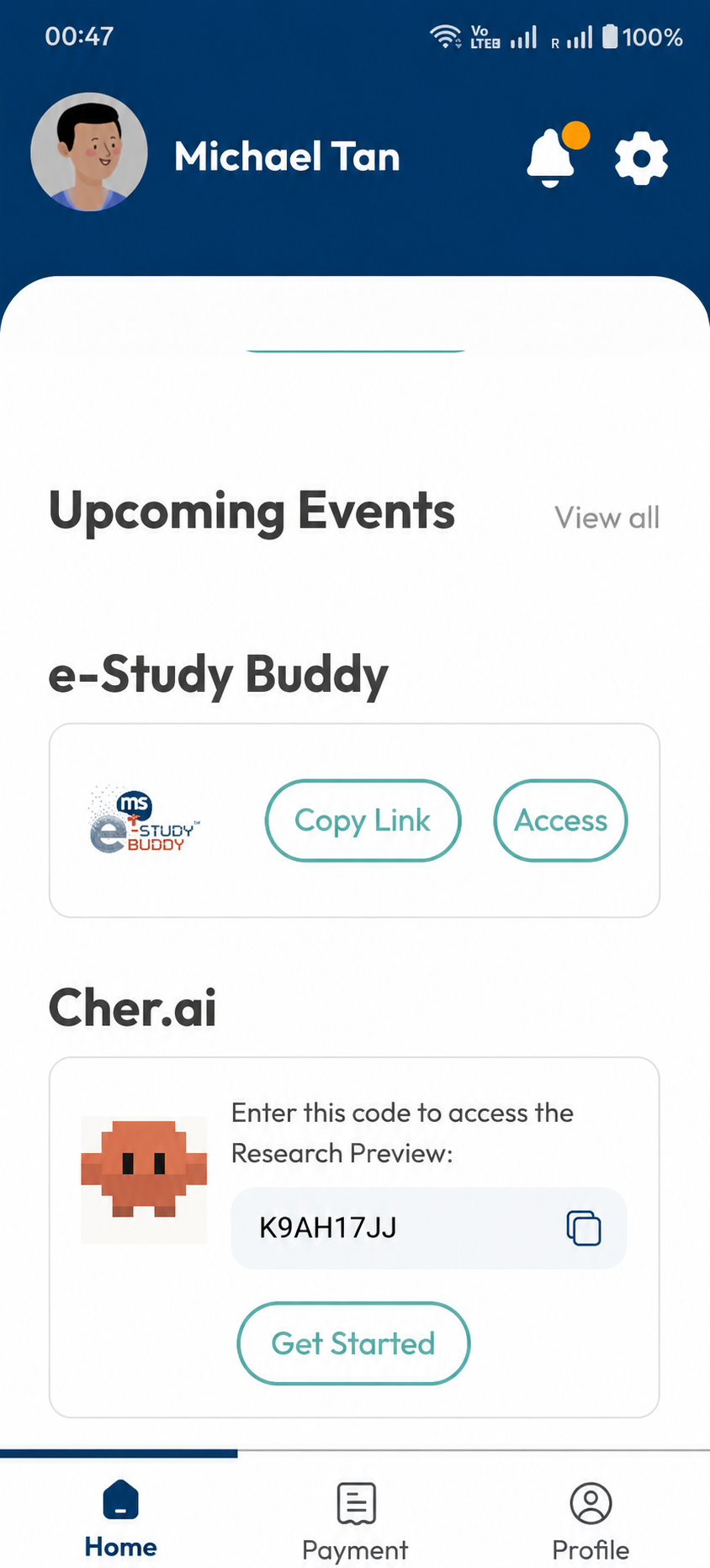
Your Cher.ai access code is at the bottom of your Home tab. Scroll down to see.
-
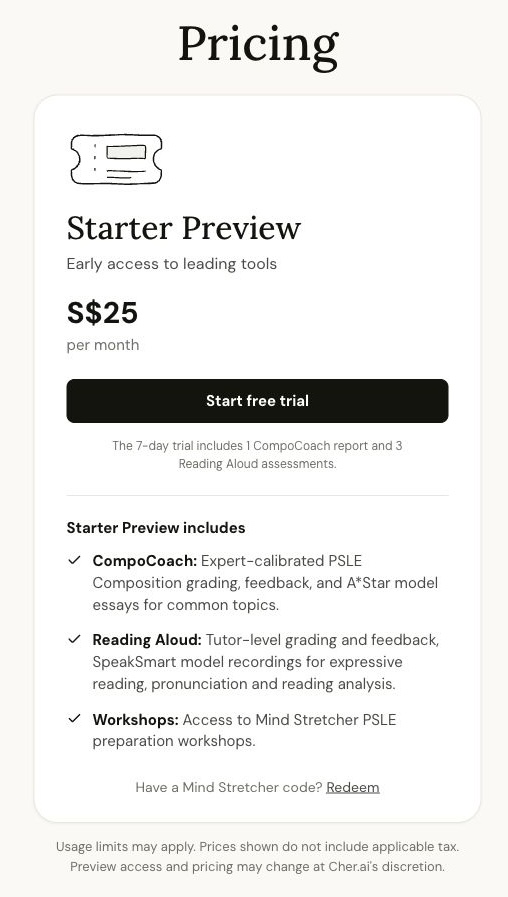
Head to cher.ai/pricing and tap Redeem at the bottom of the Starter Preview card.
-
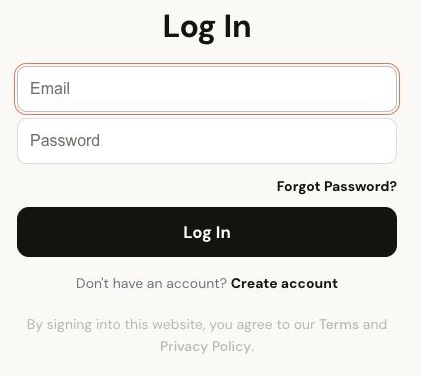
On the Cher.ai login page, tap Create account. Parents need to create a Cher.ai account before the Mind Stretcher code can be redeemed.
-
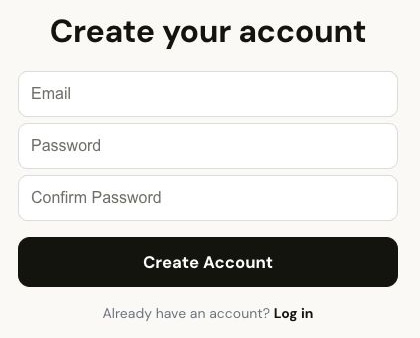
The Create Account form will ask for the parent's email address and a password. Fill it in and tap Create Account. Cher.ai will send a verification code to that email address.
-
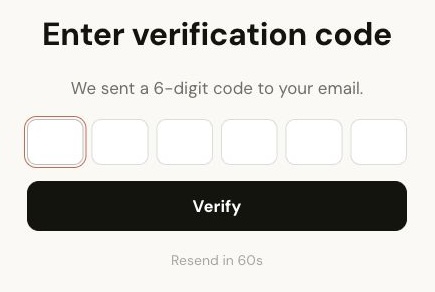
Check the parent's email inbox for the 6-digit verification code, enter it on Cher.ai, then tap Verify.
-
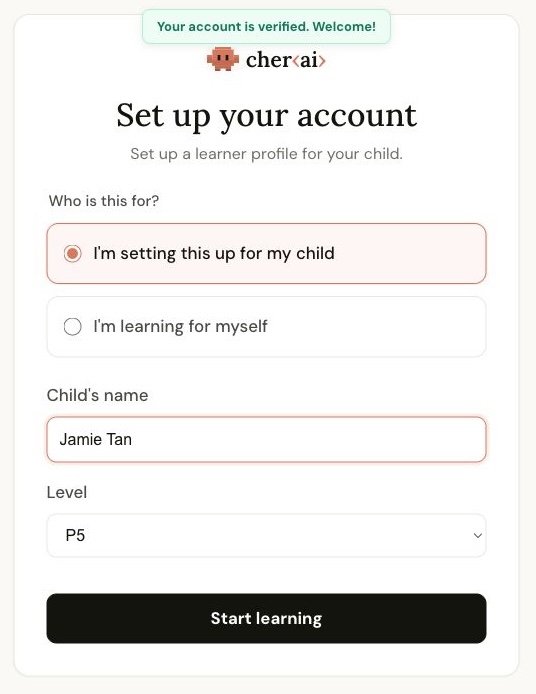
Set up your child's learner profile. Choose I'm setting this up for my child, enter your child's name, select the correct level, then tap Start learning.
-
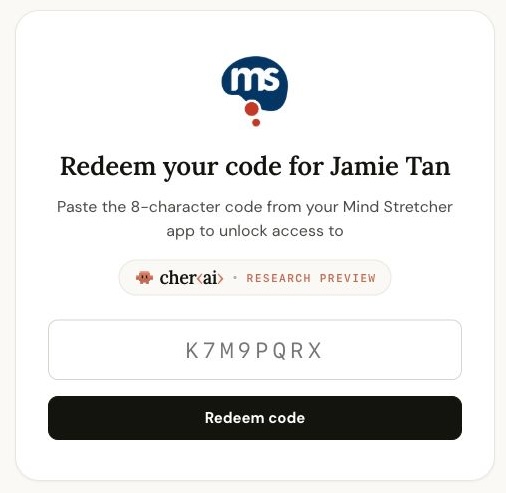
Cher.ai will bring you back to the Mind Stretcher redemption screen. Key in your 8-character access code and tap Redeem code.
-
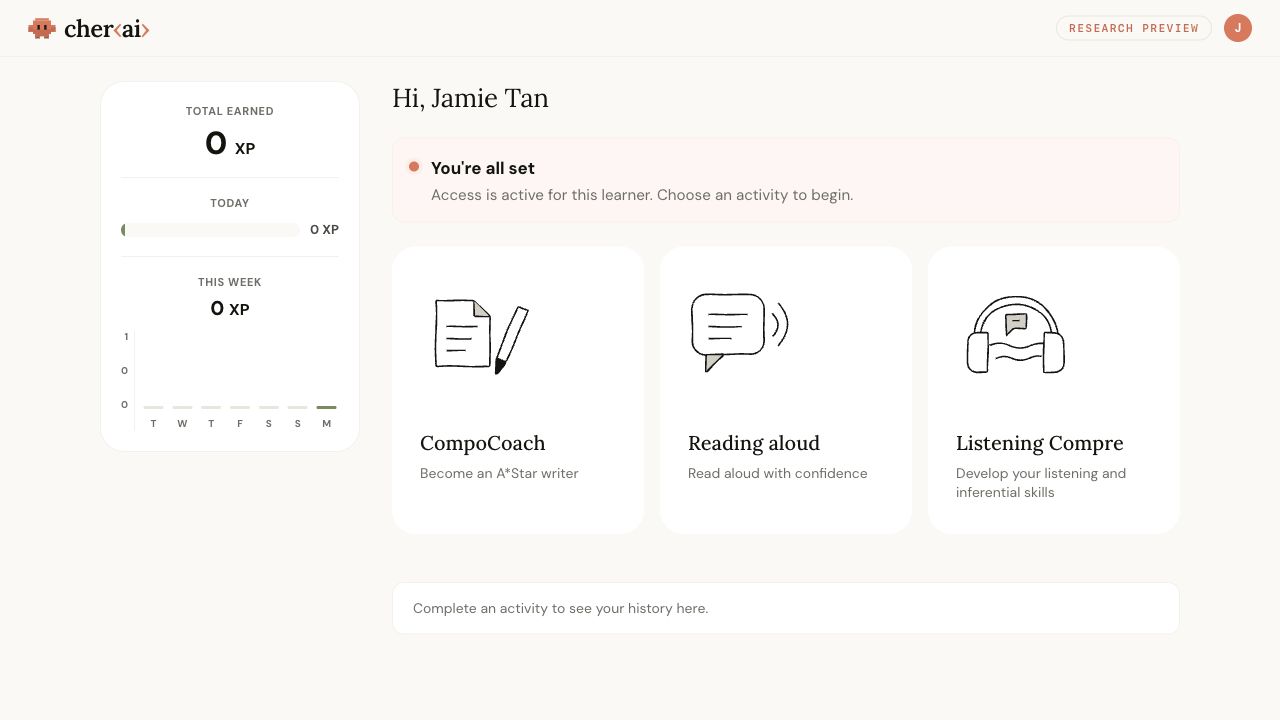
Once the code is accepted, your child can start using Cher.ai's Research Preview tools.
Please note that this free Research Preview is only accessible to students with an active enrolment with Mind Stretcher & Master Speakers. To find out more about Mind Stretcher's popular P5 and P6 PSLE preparation programmes, please see our June Power Up Programme, and mindstretcher.com.
Need help? If you have any issues logging in or finding your access code, please contact Mind Stretcher's helpdesk on WhatsApp at +65 8883 8004.