I am a Straits Times PSLE Companion subscriber, and I received a promo code to use with Cher.ai. How do I do this?
Use the promo code in Stripe Checkout before you start your Cher.ai trial or before you subscribe.
- Go to cher.ai/pricing.
-
Choose Start free trial, or choose Skip trial and subscribe if you want to subscribe immediately.
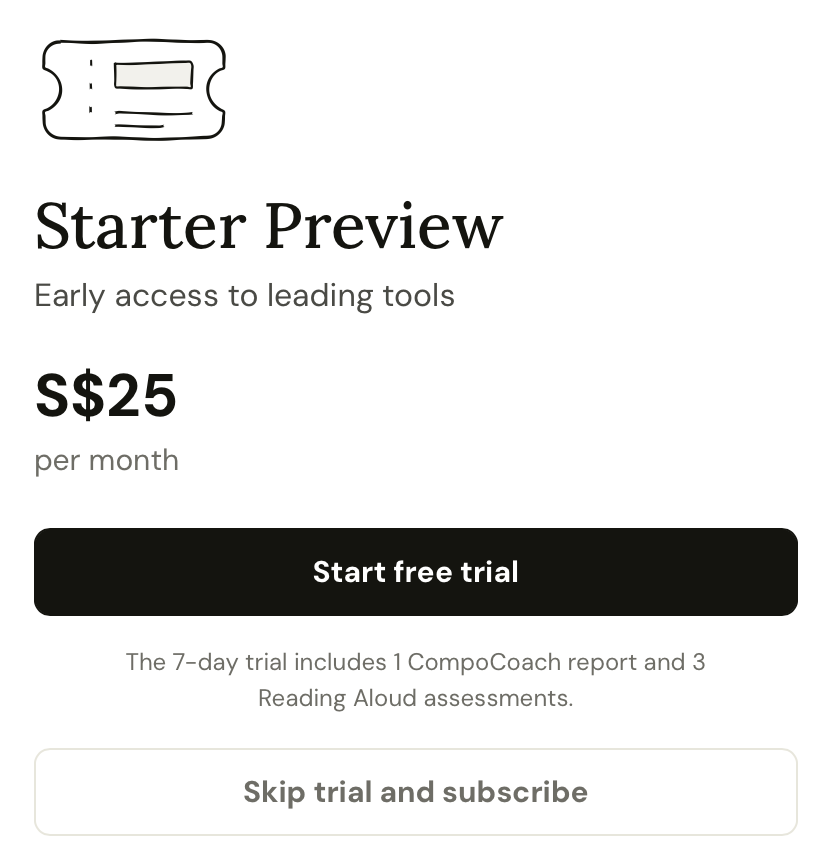
Choose either trial signup or immediate subscription from the Cher.ai pricing page. - If prompted, create your Cher.ai account and add your learner profile.
-
When Stripe Checkout opens, click Add promotion code.
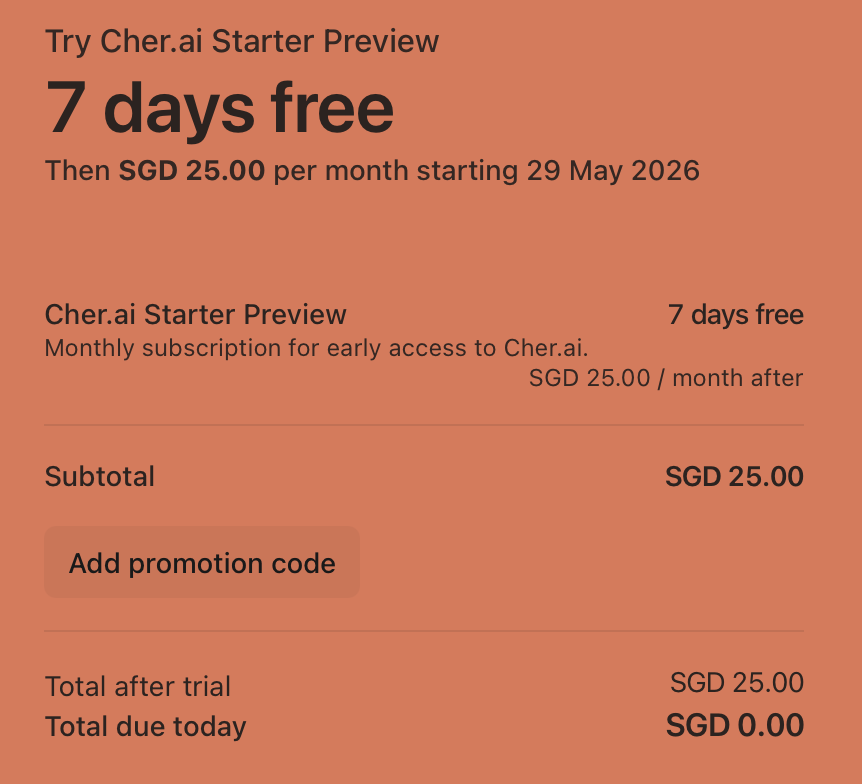
In Stripe Checkout, open Add promotion code before confirming. - Enter the promo code you received from The Straits Times PSLE Companion, then click Apply.
- Check that Stripe shows the discount before you confirm the trial or subscription.
If you start a free trial with the promo code applied, Stripe keeps the discount on that subscription for the future monthly charges, according to the promo-code terms.
Important: the promo code must be entered during Stripe Checkout. Cher.ai does not currently support adding a Straits Times promo code in the middle of an active trial after checkout has already been completed.